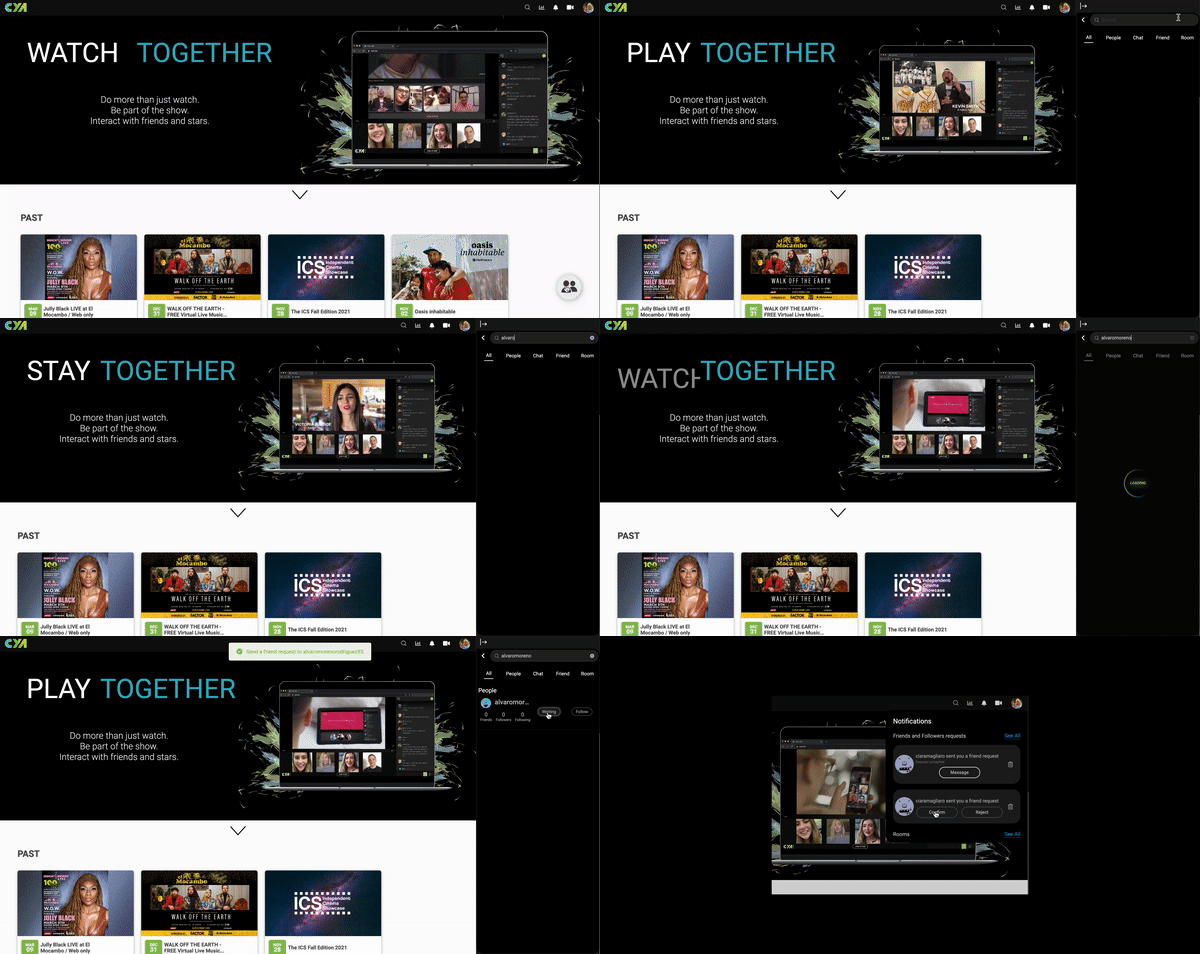
How to add a friend and chat with friends on Cya Live
Cya is a platform for watching movies, shows and live events together online with friends, creators and audiences, with synced playback, live video interaction and ticketing.
Follow Cya’s guide to adding friends, accepting requests, viewing your friend list and starting conversations during or outside an event.
How to Add Friends from Home page and Accept a friend request
To accept a friend request simply go your notifications tab where you will find all the friend requests you have recieved.
How to view your friend list and chat with friends
To view your friendlist or chat with friends, head to the main events page and click on the big icon in the right bottom of the screen.
Editorial illustration. Four original screenshots for this guide are unavailable; the written steps and original demonstration above are preserved. This is not a screenshot of Cya.
add friends during an event
Step 1
Once you entered an event. Click on the icon located in the top right to open the participants screen.
Step 2
Once you’ve opened the participants screen, locate the username you would like to add as a friend. Click on the icon to pull up a quick overview of their profile.
*If you are a moderator, you can invite users to the stage by clicking on their username.
Step 3
From here you can add the user as a friend, visit their profile, or follow them to stay up to date on their events.